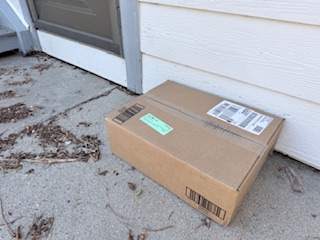
It is pretty common to see a post about a mis-delivered package. It is also pretty common when I look up directions for my new listings to see they are incorrect. For many years the directions were perfect to get to our place, but now mapping programs often take people to the wrong location. What to do?
Here are three suggestions to hopefully get your packages delivered to you:
- Check and correct your address with the mapping programs – list to follow. It’s pretty easy, just time consuming. Add notes to include the white reflective Road Marker numbers on Crestline and Birch Hill and include comments like “driveway entrance is off XYZ road” as apparently this helps GPS routing better than just moving a pin. You might check directions to neighbor’s properties and if they are incorrect, ask them to submit the same correction as multiple submissions sometimes get reviewed faster.
- Update your address with your local county GIS or 911 addressing authority as many mapping apps pull data from these public systems.
- Have your packages mailed to the Post Office. I spoke with David at our Palomar Mountain PO. He said you just need to use the address for the PO which is: 33124 Canfield Road, PO Box #____ Palomar Mountain, CA 92060. You must include your box number! He will have it in a locker for you or store behind the counter. It is important you pick it up in a timely manner and all should be well.
Here is info for you on the different apps you might want to check and correct. (Just a heads-up; MapQuest told me my correction could take a few months to show up as their correction department is backed up…)
These are mapping and navigation apps commonly used by delivery drivers — alternatives to MapQuest, Apple Maps, and Google Maps that are good for routing, traffic, and deliveries:
🚗 Navigation / Routing Apps
- Waze – Community-based traffic updates, speed-trap alerts, re-routing around slow traffic.
- HERE WeGo – Offline maps and good routing; useful in low-connectivity areas.
- Sygic GPS Navigation – Offline maps, truck routing options (height/weight limits), dashcam integration.
- TomTom GO Navigation – Premium offline maps, lifetime updates, truck mode.
- Garmin Drive/Truck GPS – Dedicated device/app combo with advanced routing (hazardous materials, truck restrictions).
- CoPilot GPS – Specifically strong for professional and truck drivers with customizable routing.
- MapFactor Navigator – Free offline maps with truck and caravan routing support.
- OsmAnd – Open-street-map based with offline capability and detailed POIs.
🚚 Apps with Delivery-Specific Features
- Circuit Route Planner – Designed for delivery drivers; optimizes multi-stop routes.
- Route4Me – Enterprise-grade route planning and dispatch optimization.
- Onfleet – Delivery management and driver tracking (requires fleet account).
- RoadWarrior – Route optimization with time windows and delivery sequencing.
- Track-POD – Delivery proof of delivery + optimized routing.
🛵 Ride/Delivery Platform Navigation
- Uber Driver Navigation – Built into Uber app for deliveries/ride requests.
- DoorDash / Grubhub / Instacart In-App Navigation – Uses integrated directions tailored to orders.
Hope this helps with all the different delivery guys that are up here most every day.
Thinking of listing your cabin, home, ranch or land? I’ve got you covered for package delivery and a whole lot more!
Bonnie Phelps, Realtor
760-533-1742

 Palomar Mountain News
Leave a comment